
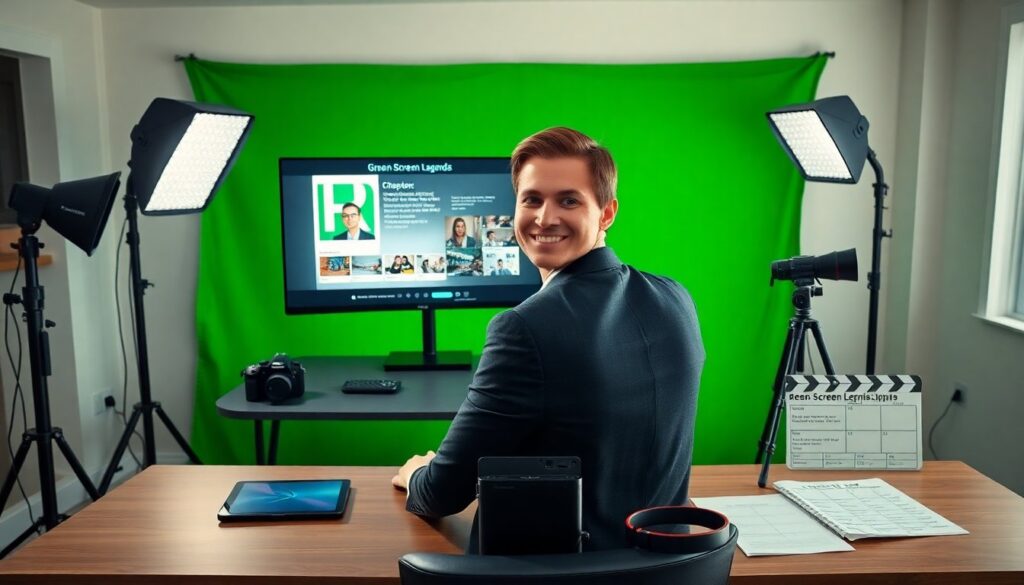
green screen legends encyclopedia plutoscreen ebook presents a compact reference for green screen work. It explains techniques, assets, and file formats. The ebook lists step-by-step setup, gear notes, and troubleshooting tips. It targets editors, vloggers, teachers, and indie filmmakers. It helps them reduce setup time and improve composite quality. It gives clear examples and ready-to-use assets for common scenes.
Key Takeaways
- The Green Screen Legends Encyclopedia PlutoScreen ebook offers a practical, step-by-step guide to green screen techniques that saves setup time and improves composite quality.
- Designed for editors, vloggers, teachers, and indie filmmakers, this ebook supports both beginners and experienced users with clear instructions and ready-to-use assets.
- It covers essential topics like lighting, camera settings, keying, and export formats, including asset packs and presets tailored for popular editors.
- The ebook emphasizes efficient workflows with recommended gear, folder structures, and time estimates to streamline green screen projects in small or solo setups.
- By sharing expert tips from professional colorists and cinematographers, it helps creators achieve professional-level green screen results on a budget and tight schedules.
What The PlutoScreen Green Screen Legends Encyclopedia Is And Who Created It
The PlutoScreen team wrote the green screen legends encyclopedia plutoscreen ebook. The team includes colorists, compositors, and cinematographers. They gathered tips from studio shoots and live streams. They included step lists for lighting, camera settings, and keying. The ebook names contributors and their roles. It shows before-and-after frames and short case studies. It links to sample projects and source plates. It gives credit to open-source tool builders. It aims to teach core skills and to make green screen work faster for small teams and solo creators.
Who This Ebook Is For And Why It Matters Today
The green screen legends encyclopedia plutoscreen ebook serves editors and creators at all skill levels. It helps beginners set up a simple studio. It helps experienced users refine light and edge details. It matters today because remote production and compact studios grew since 2020. It matters because streaming platforms accept higher quality composites. It gives practical advice that fits short schedules and low budgets. It explains trade-offs and shows which choices save time. It helps teams deliver consistent results across shoots and platforms.
What’s Inside: Chapters, Assets, And File Formats
The green screen legends encyclopedia plutoscreen ebook organizes content by task. It starts with prep chapters for space and light. It follows with capture, keying, color, and composite chapters. It includes asset packs: backplates, lights, and animated elements. It bundles source plates and clean mats for practice. It lists file formats and export settings for common NLEs. It includes native and intermediate codecs for speed and quality. It offers presets for popular editors and a short checklist for delivery. It keeps file names and folder rules simple to reduce errors.
H3: Sample Chapter Topics And The Learning Path
The ebook maps a clear learning path. It starts with a short chapter on camera and lens choices. It follows with a chapter on simple three-point light for a green backdrop. It moves to capture notes on exposure and white balance. It adds a chapter on keying basics with examples from two keyers. It then covers spill removal and edge finesse. It ends with a chapter on composite polish and export checklist. Each chapter includes a short exercise and an asset to practice with.
Practical Guide: Setup, Recommended Gear, And Workflow
The green screen legends encyclopedia plutoscreen ebook gives a compact setup plan. It lists space needs and backdrop options. It names lamp types and suggested power for common rooms. It recommends camera settings for consistent exposure and for clean mattes. It explains frame size choices and sensor tips. It proposes a simple folder structure for shoots and for post. It suggests time estimates for each stage and for a one-person workflow. It gives a sample call sheet and notes for remote collaborators.